
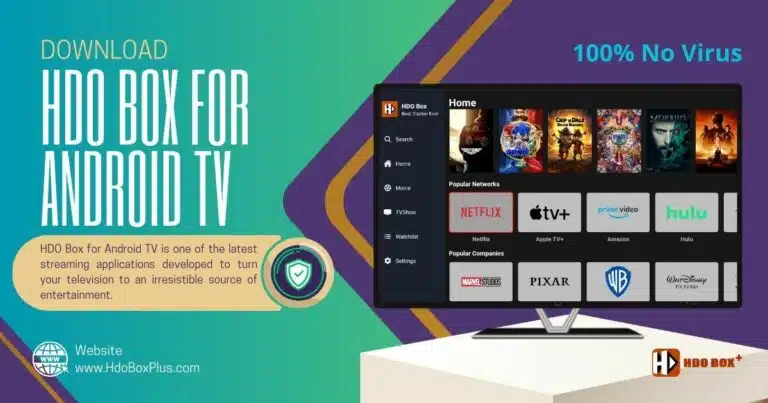
Installing HDO Box for Android Directly
Installing HDO Box on your Android TV using this technique is a straightforward process. Follow these steps carefully to ensure a successful installation.
Step 1: Enable Unknown Sources
- Security Settings. Within the settings menu, locate the Security & Restrictions option.
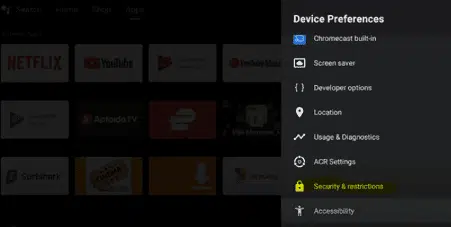
- Enable Unknown Sources. Find the Unknown Sources toggle and click on it to turn it on.
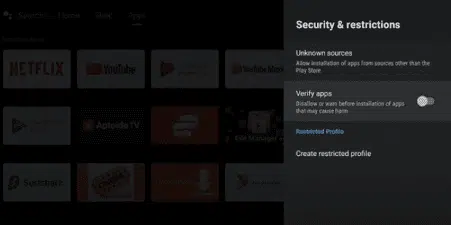
Step 2: Download the HDO Box APK
- Open Browser. Launch the web browser available on your Android TV.
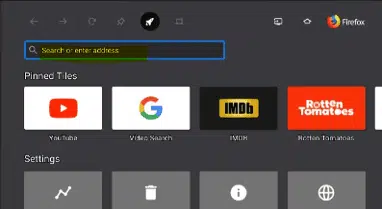
- Download APK. Visit the official HDO Box website to download the latest version of HDO Box APK file.
Step 3: Install HDO Box APK
- Locate Downloaded File. After downloading, return to the home screen and open your file explorer or file manager app.
- Find APK File. Navigate to the Downloads folder or wherever you saved the APK file.
- Install APK:
- Click on the downloaded APK file.
- Follow the prompts to install the application.
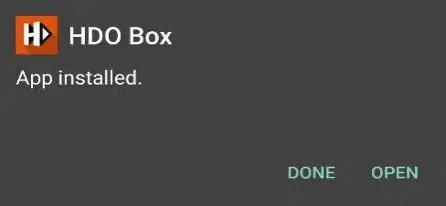
- Once installed, you will choose Done or Open.
Step 4: Launch HDO Box
- Open Application. Return to your home screen and locate the HDO Box app icon.
- Initial Setup. Launch the app and follow any initial setup instructions provided by the application.
Installing HDO for Android TV Using the Downloader App
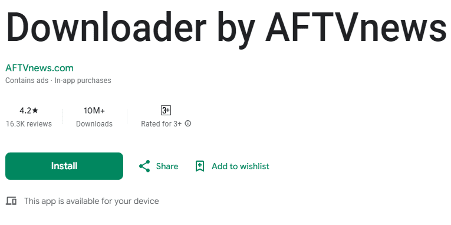
- Install the Downloader App. Start by navigating to the Google Play Store on your Android TV. Search for the Downloader app and install it. This app is essential for downloading APK files from the internet.
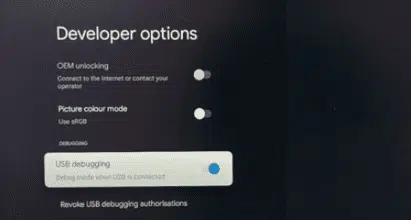
- Enable Developer Options. Go to Settings > Device Preferences > About and scroll down to Android TV OS Build. Tap this option seven times to enable Developer Options & USB debugging, which allows installations from unknown sources.
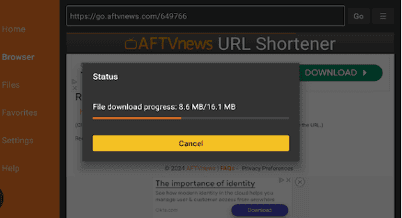
- Download HDO Box. Open the Downloader app and enter the URL for HDO Box (you can find it on trusted websites).
- You can enter the HDO Box Firestick code (instead of the URL)
- Download HDO Box Android TV: 9053583
- Download Drama Player: 8543684
- Trusted website example: https://hdoboxplus.com/). Click Go to download the APK file.
- Install HDO Box. Once the download is complete, install HDO Box. After installation, find it in your apps list and start streaming your favorite content.
Installing HDO Box Android Using USB Drive via File Commander
- Download HDO Box APK. First, download the HDO Box APK file from a reliable source onto your computer and transfer it to your USB.
- Plug USB into Android TV. Insert the USB drive into your Android TV’s USB port.
- Install File Commander. You can get it from the Google Play Store and it will help you navigate files on your USB drive.
- Open File Commander. Launch File Commander and go to Media > USB Storage to access the files on your USB drive.
- Enable Unknown Sources. Before installing, ensure that you have enabled installations from unknown sources in your settings under Security & Restrictions.
- Install HDO Box APK. Locate the HDO Box APK file within File Commander and select it to begin the installation process.
- Launch HDO Box. Return to your home screen, find HDO Box, & launch it.
Conclusion
Overall, HDO Box for Android TV is a top-tier streaming solution with high-definition streaming capabilities and user-friendly interface.
The easy installation methods, whether downloading it directly, using the Downloader app, or a USB drive with File Commander, ensure that you can access HDO Box effortlessly.
By following our detailed guides, you can quickly set up HDO Box on your Android TV and access endless entertainment. Enjoy the convenience, variety, and superior quality that HDO Box brings to your living room, making every viewing session enjoyable and immersive.

8 Comments
hdbox hacklendi mi? Neden film ya da dizi açınca porno çıkıyor
The new update is so bad,
Any thing we play , suddenly the a pornography movie will start playing
Please fix it as soon as possible
Hello dear creator ,
I use HDO on my android tv
When i update to 1.1.7 The drama player request an update , when i try to do it he still on button update or cancel !
I decided to remove drama player and update it from browser , installed succeesfully but the HDO BOX still demand the update of drama player !!
What should i do please?
Hello HDO BOX community,
I just updated my hdo box for android tv, unfortunately now I keep getting a message that, the movies I selecr doesn’t have a link to play yet. Please help.
I enjoy watching movies and shows on HBO box.
I need
افلام علمية و مجانية
Сохранил в сохранённое, люблю ваш блог.